
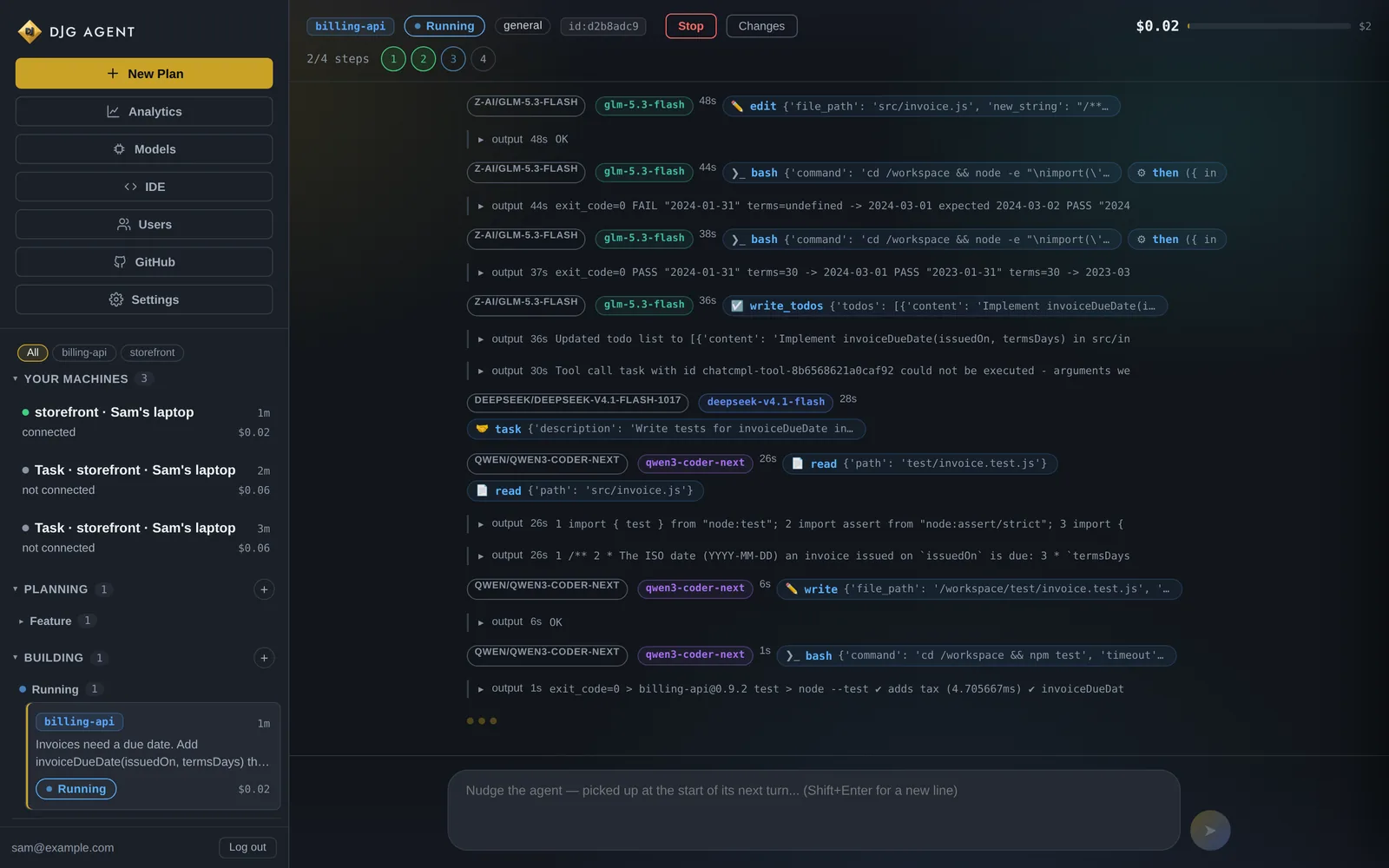
Watch it live
Tool calls, output, the review verdict and the cost, as they happen. Open a task halfway through and the whole story is already there.
work from anywhere
DJ runs on your own server, so it’s the same agent everywhere: the same projects, the same memory and the same budget. Use the console in a browser, the desktop app on Windows or Linux, djg in your terminal, or your phone. Everything is included with your plan.
in your browser
Everything happens in one dashboard at your own address. Planning, tasks, reviews, costs, models, GitHub alerts and settings, all live.
Tool calls, output, the review verdict and the cost, as they happen. Open a task halfway through and the whole story is already there.
Talk an idea through in Planning Chat, then hand it to the build pipeline with one click. Tasks and plans share one sidebar, with anything waiting on you pinned at the top.
A full code editor in the browser, on a branch of its own. Submit runs the checks, gets an AI review and merges. Stuck? Hand the branch to DJ with one click.
Add people to your server and choose which projects each of them can see. Everyone works with the same agent and the same memory.
windows and linux
The console in its own window, plus the things a web page can’t do: notifications on your PC, tools that run on your own machine, and a bridge to the editor you already use.
The console without the browser tabs, one click away in the tray.
A review that's ready, a task that needs you, or one that's done shows up as a notification on your PC, with a count on the tray icon.
Set up MCP servers on your own machine, such as a local database or a tool behind your firewall, and DJ can use them from your server.
Clone an IDE session's branch onto your machine and open it in your own editor. Commits you push from there land back in the session.
Pick a folder on your PC and it becomes a project on your server, without making a repository somewhere first.
A code-signed installer for Windows, and an AppImage for Linux that updates itself, plus a .deb.
Download it from your console under Settings → Account → Desktop app, then enter your server’s address and sign in as usual.
on your phone
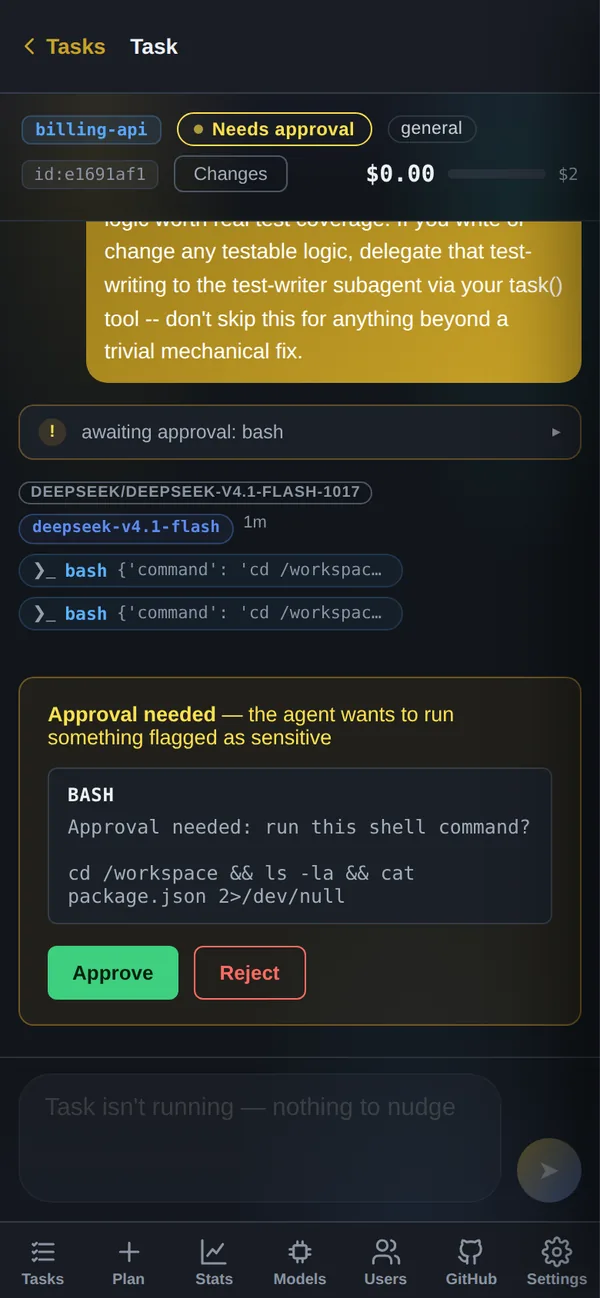
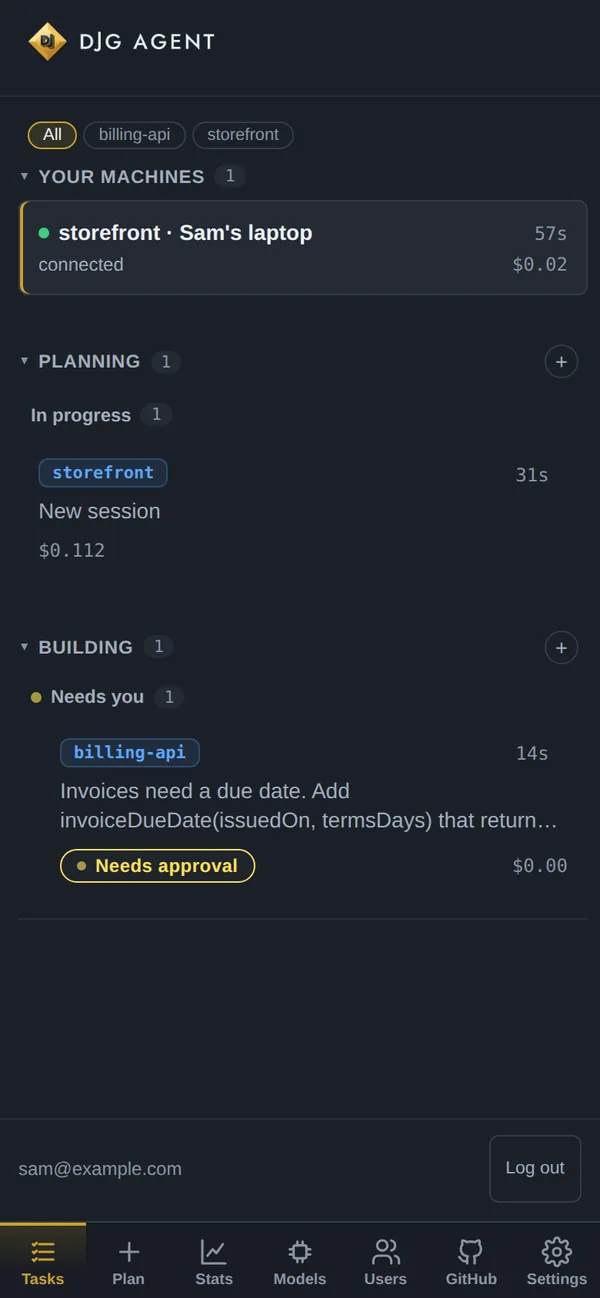
The console works on a phone screen, and once it’s installed it can send you push notifications. Prefer Telegram? The same alerts can go there too.
Add the console to your home screen on Android or iPhone. It opens full screen, like any other app.
“Review READY — waiting on your merge approval.” “Task ESCALATED — needs you.” Each alert says the project, the task and what it has cost so far.
Approve a merge, answer a question DJ asked, nudge a running task, or read along with a session running in your terminal.
Your own DJG Agent on a private server, set up and kept updated for you. The console, the apps, djg and every connection are included.